How It Works
Run the sweep. Review the queue. Stay ahead.
MatterMind checks the operational signals across your practice, catches what needs attention, prepares the next step, and gives you a short daily queue to review.
No credit card · Review every send · Setup in about 30 minutes
Practice-manager-level visibility across matters, money, workflow, and daily priorities.
A calmer way to run the business side of practice.
Small firms usually manage practice operations across reports, inboxes, boards, reminders, spreadsheets, staff conversations, and memory. MatterMind brings those signals into one operating rhythm.
The sweep checks the signals that usually get missed.
MatterMind checks for signals across matter stage, stale matters, upcoming deadlines, overdue tasks, WIP, billing candidates, receivables, trust balances, workflow bottlenecks, and daily priorities.
Instead of bouncing between reports, inboxes, and memory, you start with a short list of what needs attention today.

Turn scattered practice signals into a focused daily review.
A short queue, not another place to manage tasks.
MatterMind does not wait for you to manually enter everything. It identifies practice signals and turns them into review-ready items.
- Invoice follow-up ready for review
- Trust top-up prompt ready for review
- Pre-bill handoff ready for assistant
- Stale matter check-in ready for review
- Matter stalled in current stage
- WIP alert ready for billing review
- Deadline or task needing attention
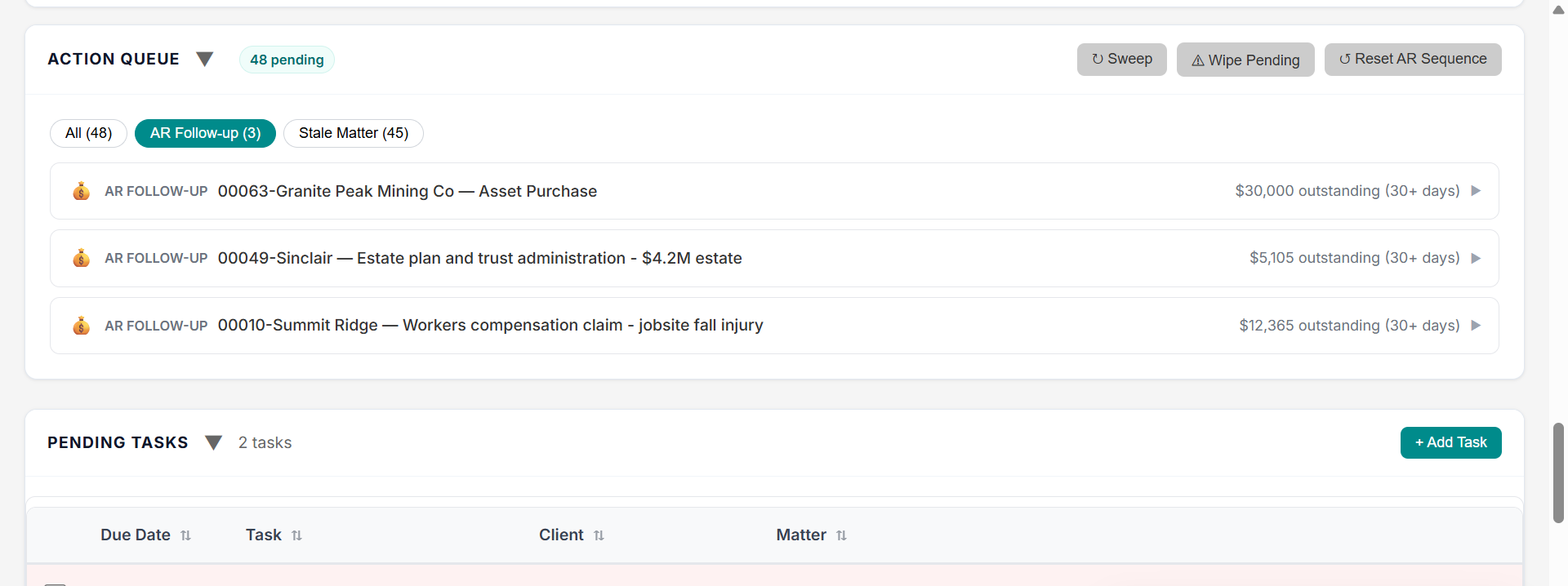
MatterMind prepares the next step. You review and decide.
Ask MatterMind what needs attention.
Ask MatterMind helps you query the business side of your practice in plain English.
- What should I bill this week?
- Which matters have gone stale?
- Which files need a next step?
- Where is WIP building up?
- Which accounts need follow-up?
- Which trust balances are low?
- What should my assistant look at today?
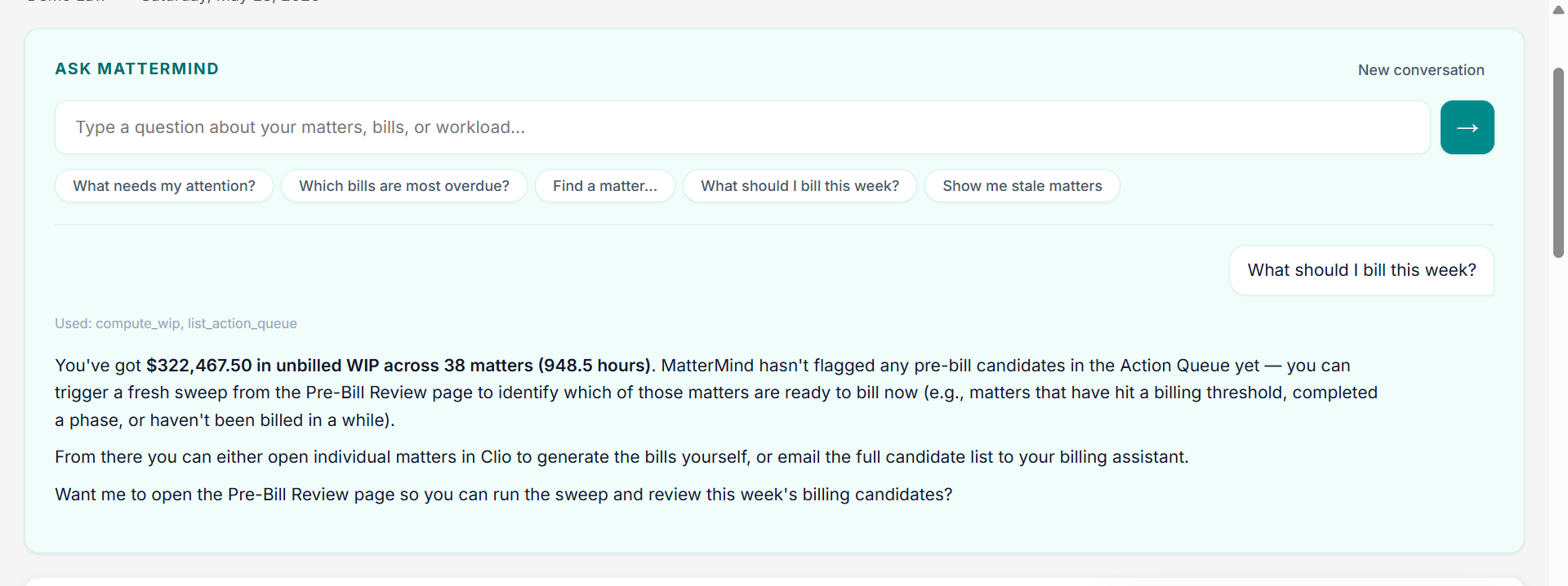
Ask operational questions and get structured answers you can act on.
You and your team stay in control.
Review the queue, edit drafts, approve sends, delegate handoffs, dismiss items, or open the matter for deeper review. Nothing client-facing goes out without review.
You and your team can
- Approve a prepared follow-up
- Edit the draft before sending
- Delegate to an assistant or paralegal
- Dismiss items that do not apply
- Open the matter for deeper review
MatterMind will not
- Send client-facing messages without review
- Decide what is legally appropriate
- Replace lawyer judgment
- Act on a matter without confirmation
Setup is designed to be fast.
- Create your account.
- Connect your practice data source.
- Set thresholds for receivables, WIP, trust balances, stale matters, and daily priorities.
- Run the first sweep.
- Review the first queue.
Connect, set thresholds, and run the first sweep.
The first sweep tells you whether it fits.
Start a 30-day trial and see what MatterMind surfaces from your own practice.
No credit card · Review every send · Setup in about 30 minutes